User's Guide
Monoova Portal
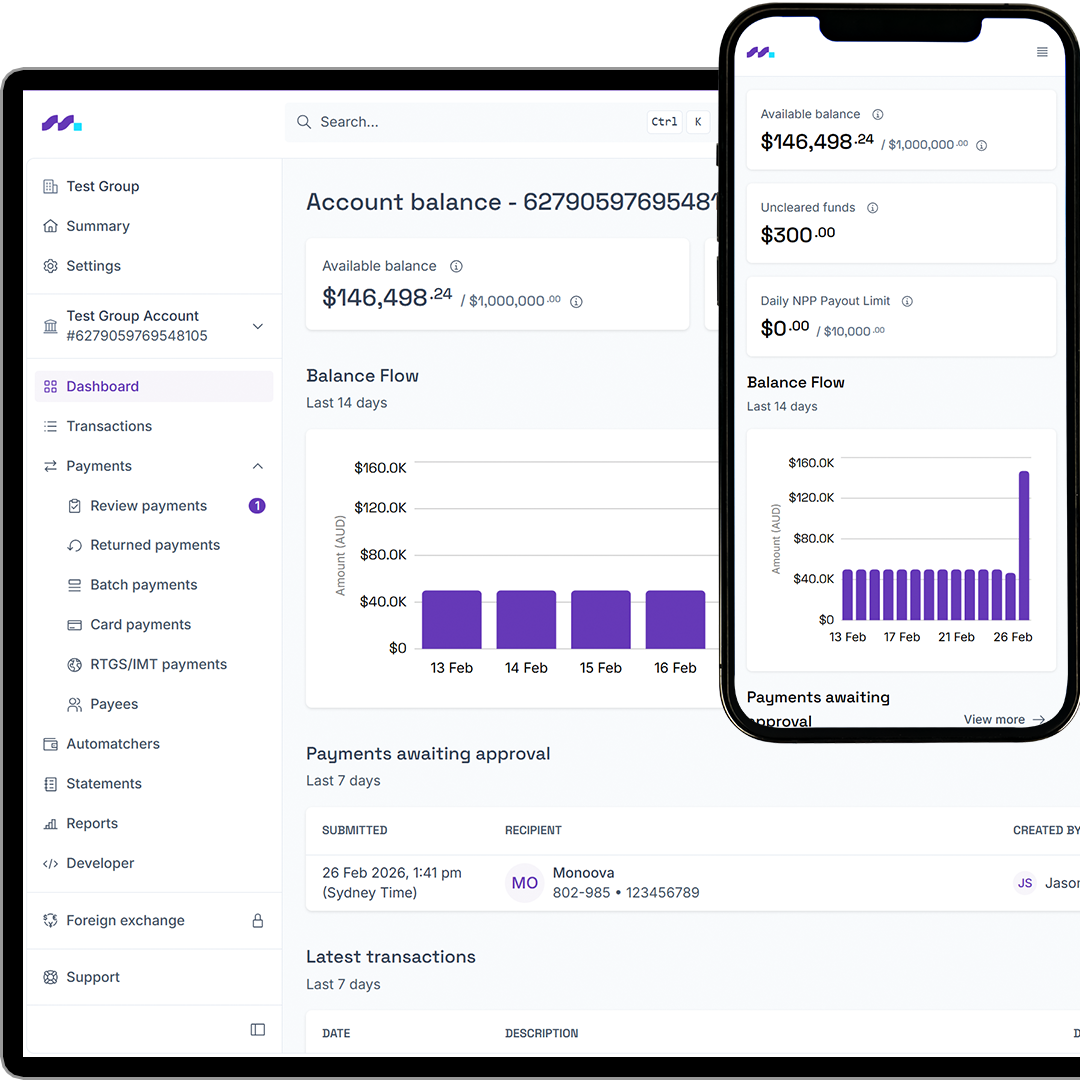
The Monoova user portal gives your business a simple, secure way to manage payments and transactions through a single online interface.
Purpose-designed for teams who want full visibility and control without the time or cost of building a custom API integration, this portal is your main access point for processing payments, approving transactions or accessing financial reports.


What is the Monoova portal?
Monoova clients access and manage payments via our locally created and hosted portal. This web-based interface mirrors the capabilities available via our API, but without the need for technical integration.
The portal is managed and maintained in-house, with our team working hard to continuously improve the experience, update the interface and roll out new features.
While anyone within your organisation can be given access to the Monoova user portal, it’s most commonly used by:
- Finance and accounts teams
- Dispute and operations teams
- Audit and compliance teams
Why use the Monoova Portal?
This portal is ideal for businesses that want flexibility and control, without complexity.

Simple alternative to API integration
No time for API development? This portal gives you immediate access to Monoova’s payment functionality. There’s no integration work required to start processing and viewing transactions.

Lower operational costs
The Monoova portal is ready to use, so your business can avoid development costs and reduce reliance on manual processes or third-party tools.

Comprehensive financial visibility, all in one place
From transaction lists to reports and approvals, everything lives in asingle interface. This makes it easier for finance, audit and dispute teams tostay aligned.

Designed to evolve
Our portal is continually being updated as capabilities and featureschange over time.
Monoova
Portal capabilities

Real-time payment rails
Make payments via direct entry and NPP

Search and filter
View and search transaction lists

Schedule to create Automatcher
Create and manage automatchers / virtual wallets

Reporting
Access statements andreports

Manage Payments
Set up and manage payment approval workflows

Batch processing
Upload batch files for direct entry payments
Monoova Portal
How to Use
Getting started is straightforward.
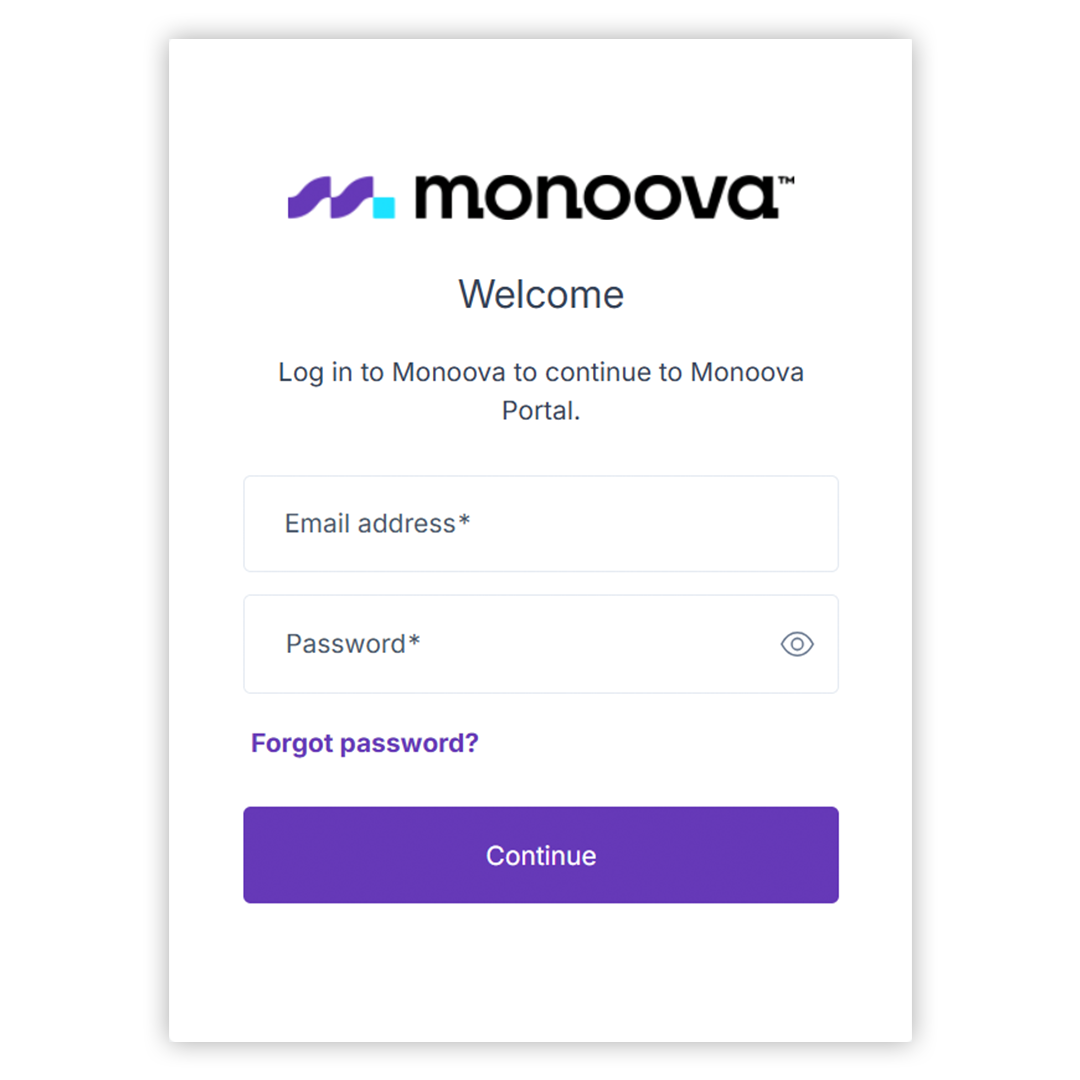
- Log in using the access details provided by Monoova
- Navigate the dashboard to see transactions and balances
- Create payments or upload batch files as needed
- Use approval workflows to review and authorise payments
- Download statements or reports for reconciliation and auditing


Access and security
Every user has a unique login ID, even ifmultiple people belong to the same company account. This helps maintain strong security controls and clear accountability across your team.
The portal uses Monoova’s standard security measures, including authentication controls and role-based access.
Which solution is right for you?
Not sure what’s suitable for your company? Visit our sandbox environment. You can also combine both, using the portal for visibility and manual actions while running automated processes via the API.

FAQs
Anyone in your organisation can access the portal. It’s most commonly used by finance, audit and dispute teams.
Yes. Each client can have multiple users, with individual logins for every person.
Yes. Every user is issued a unique login ID for security and audit purposes.
No. The portal uses a standard Monoova design to maintain consistency and usability.
No. The portal allows you to process payments and view transactions without any API integration.
Yes. Sandbox access is available for testing and familiarisation, with production access provided separately. Register for the sandbox here.
You can raise a support ticket directly through the portal or raise a support ticket directly through the portal if you need assistance.
Portal User Guide
Find detailed How-to Tutorials and more on how to use the Portal
About Monoova
Monoova is a leading provider of intelligent payment solutions, helping businesses optimise their payment processes, enhance customer experiences, and scale efficiently. Visit www.monoova.com or read Monoova’s PDS/FSG to find out more about our payment solutions and services.
Disclaimer: To the extent that this release contains information sourced from third parties or provides link to third partywebsites, Monoova takes no responsibility for the accuracy, currency, reliability and correctness of any information included in the material provided by third parties nor for the accuracy, currency, reliability and correctness of links or references to information sources (including internet sites) operated by third parties.
This article is issued by Monoova Payments Pty Limited (ACN 126 015 227 | AR No. 428863) trading as Monoova (Monoova). Monoova is the authorised representative of Monoova Global Payments Pty Ltd (ACN 106 249 852 | AFSL 421414) (Monoova Global), being the issuer ofthe Combined Financial Services Guide & Product Disclosure Statement Non-Cash Payment Products and Services (FSG/PDS). Copies of the FSG/PDS and theterms and conditions of the products and services offered by Monoova and Monoova Global (disclosure documents and terms) are available here or bycontacting Monoova at support@monoova.com. You should considerthe relevant disclosure documents and terms before deciding whether to acquire, or continue to hold, the relevant product or service. The information provided in this communication/document is factual information only, is given in summary form and does not purport to be complete. The information provided does not take into account your particular investment objectives, financial situation or needs. Before acting on any information, you should consider the appropriateness of the information having regard to these matters, and in particular, you should seek independent legal, financial and tax advice. The information is current as at the date of this document.
To the extent that the communication/document contains information sourced from third parties, statements made by third parties or provides link to third party websites, Monoova takes no responsibility for the accuracy, currency, reliability and correctness of any information included in the material provided by orstatements made by third parties nor for the accuracy, currency, reliability and correctness of links or references to information sources (including internet sites) operated by third parties.
©Monoova